全体の仕組み
家庭のGPUを、1つの プライベートネットワークに.
inference.club is a Tailscale tailnet that joins consumer hardware — RTX PCs, the DGX Spark, Apple silicon — so members can safely expose their inference through one unified API, across the whole range of AI modalities: chat, images, video, speech, music, 3D.
注目の生成例
このネットワークで 生まれた作品
メンバーが持ち寄ったハードウェアで生成された、実際のリクエストです。カードをクリックすると詳細が見られます。

disco funk vibes party
“Type text, pick a voice, and synthesize natural speech.”
summarize this article: AI Outperforms Law Professors in Stanford Law Study In a rigorous blind study, law professors overwhelmingly preferred AI-generated answers to student legal questions over answers written by fellow law professors—and flagged the AI answers as potentially m…
**Summary** A blind study led by Stanford Law professor Julian Nyarko found that law professors overwhelmingly preferred AI‑generated answers to contract‑law questions over answers written by their fellow professors. In a head‑to‑head comparison of nearly 3,000 anonymized respon…


OpenAI SDKにそのまま差し込めます。
登録してトークンを発行し、クライアントをapi.inference.club/v1に向けるだけ。ネットワーク上のすべてのモデルにリクエスト1つでアクセスできます。
export OPENAI_API_KEY=ic_xxxxxxxxxxxxxxxxxxxx
export OPENAI_BASE_URL=https://api.inference.club/v1

curl $OPENAI_BASE_URL/chat/completions \
  -H "Authorization: Bearer $OPENAI_API_KEY" \
  -H "Content-Type: application/json" \
  -d '{
    "model": "qwen/qwen3.6-27b",
    "messages": [
      {"role": "user", "content": "explain MoE in one sentence"}
    ]
}'あらゆるOpenAI互換サーバーをラップ。
すでにvllm、llama.cpp、ollamaを動かしていますか? エージェントをそこに向ければ、あなたもネットワークのノードに。
# Already running vLLM, llama.cpp, or Ollama on your GPU?
# Point the agent at it and join the network.

export INFERENCE_CLUB_API_KEY=ic_xxxxxxxxxxxxxxxxxxxx
export OPENAI_BASE_URL=http://localhost:8000/v1
export OPENAI_API_KEY=local-key  # whatever your local server expects

docker run --rm -d --name club-agent --network host \
  -e INFERENCE_CLUB_API_KEY \
  -e OPENAI_BASE_URL \
  -e OPENAI_API_KEY \
ghcr.io/inference-club/inference-club-agent:latestアーキテクチャ
3つの要素。 魔法はありません。
コードからGPUへ、そして戻ってくるまで、1つのリクエストを追ってみましょう。クラウドのコントロールプレーンが認証し、プライバシー設定を適用してルーティングしますが、モデル自体はあなたが所有するハードウェア上で動きます。
オペレーターがエージェントを動かす
メンバーはローカルのLLMサーバーの隣でinference-club-agentを動かします。エージェントはサーバーがホストしているモデルをそのまま広告します。
エージェントがtailnetに参加
各エージェントは短命のTailscaleキーを受け取り、私たちのプライベートメッシュに参加します。公開エンドポイントもポートフォワーディングも不要。あるのはWireGuardだけ。
利用者がリクエストを送る
api.inference.clubへの呼び出しは、要求されたモデルを提供するオンラインのエージェントへルーティングされます。ストリーミングも動作し、レイテンシは直接です。
Your application
curl · OpenAI SDK · the Playground · your agents
api_key = "ic_xxxxxxxxxxxxxxxxxxxx"
api.inference.club — the control plane
one small cloud VPS (Hetzner). It routes; it never runs the model.
Caddy
TLS · reverse proxy
Django + DRF
OpenAI-compatible /v1 router · auth · routing
Access control
visibility · per-service ACLs · kill switch
Celery workers
async jobs · batches · workflow DAG
Postgres + Redis
state · queue · throttling
GCS
images · video · voice · music
The inference.club tailnet
a private Tailscale mesh — pure WireGuard
Your rig — where inference actually happens
a GPU you own, at home, on hardware you trust
inference-club-agentcontainer · --network host Joins the tailnet with its minted key, advertises models from agent.yaml, and forwards each request to whatever you already run locally:
→ http://localhost:1234/v1
Follow one request
- 1Your code calls api.inference.club/v1 with your ic_ key — the same request you’d send OpenAI.
- 2Caddy terminates TLS; Django authenticates the key and applies your privacy + access rules.
- 3The router picks a healthy, online node that actually serves the requested model.
- 4Django (via a Tailscale SOCKS5 sidecar) dials the node by MagicDNS over WireGuard — no ports, no tunnels.
- 5The agent container hands the request to your local LLM server on localhost.
- 6Tokens (or images / video / audio) stream back along the exact same path.
In one breath
“inference.club is what happens when you point an OpenAI-compatible API at a pile of consumer GPUs you actually own and trust — a private Tailscale tailnet quietly stitching a 4090 here, an M3 Ultra there, a DGX Spark and a couple of 3090s into one WireGuard mesh with no ports forwarded and no firewall holes, where a littleinference-club-agentcontainer sits next to whatever you’re already running — vLLM, llama.cpp, Ollama, LM Studio — and advertises it through a manifest, while back in the cloud a Django + Celery server behind Caddy authenticates youric_key, enforces your privacy and per-service access controls, and routes the call over the tailnet by MagicDNS to a healthy online node, with Redis and Postgres driving async jobs, batches and a whole workflow DAG engine, GCS holding the images, video, voice and music that come back, a Nuxt playground and dashboard to poke at all of it, the home fleet itself migrating from Docker to k3s, and the entire thing — chat, images, LTX-2 video, Dia voice cloning, speech, the works — sitting behind one base URL you can curl, so go ahead and build something, and, as the prompt says: Make no mistakes.”
inference.clubが選ばれる理由
本来の オープンモデル の動かし方に合わせて構築。
OpenAI互換
そのまま置き換え可能。ベースURLとキーを差し替えるだけで、既存のSDKやプロンプトがそのまま動きます。
本物のGPU、本物のモデル
メンバーは自分のハードウェアでオープンウェイトのモデルを提供します:Qwen、Llama、DeepSeek、Mistral、Gemma。
デフォルトでプライベート
リクエストはTailscale経由でエンドツーエンド暗号化されて提供者に届きます。スクレイピングされる公開エンドポイントはありません。
ベンダーではなく、クラブ
信頼できる人たちと計算資源をプール。余力があるときはノードを持ち寄り、必要なときはネットワークを使う。
ブログから
すべての投稿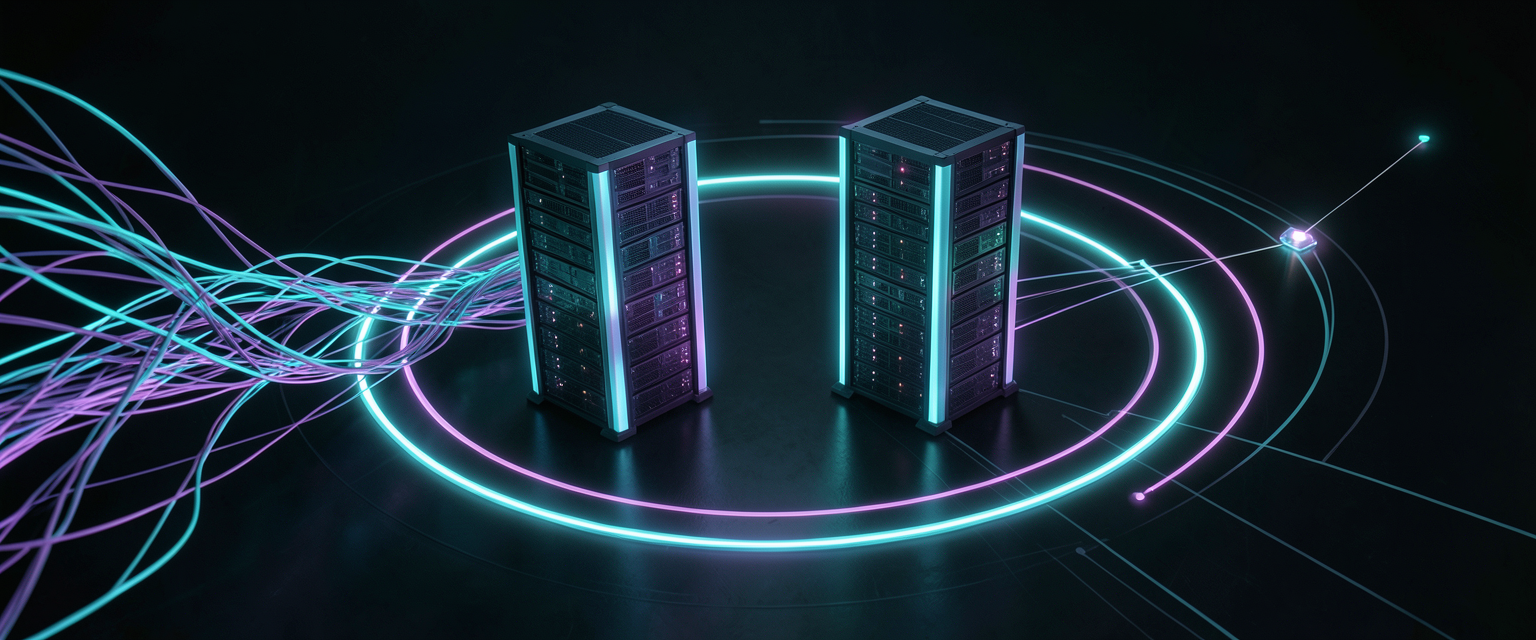
注目記事
From docker sprawl to k3s: rebuilding my home inference fleet
A 'healthy' mesh-generation service sat wedged for three days while my agent.yaml described services that didn't exist. So I moved four GPU boxes — three RTX 4090s and a DGX Spark — onto k3s and taught the inference-club-agent to discover services from the Kubernetes API instead of a config file. Health checks lie; queues don't. Config is fiction; clusters are testimony.